The radar that dragged my 5 V pin down to 1.7 V
My second presence sensor should have been a quick build. It's the same idea as my shop sensor, on a smaller board with a fancier radar. Instead it ate an evening. The board booted and joined Wi-Fi, but the radar never said a word, and the 5 V pin feeding it read 1.7 V. Here's what was going on and what I'd check first next time.
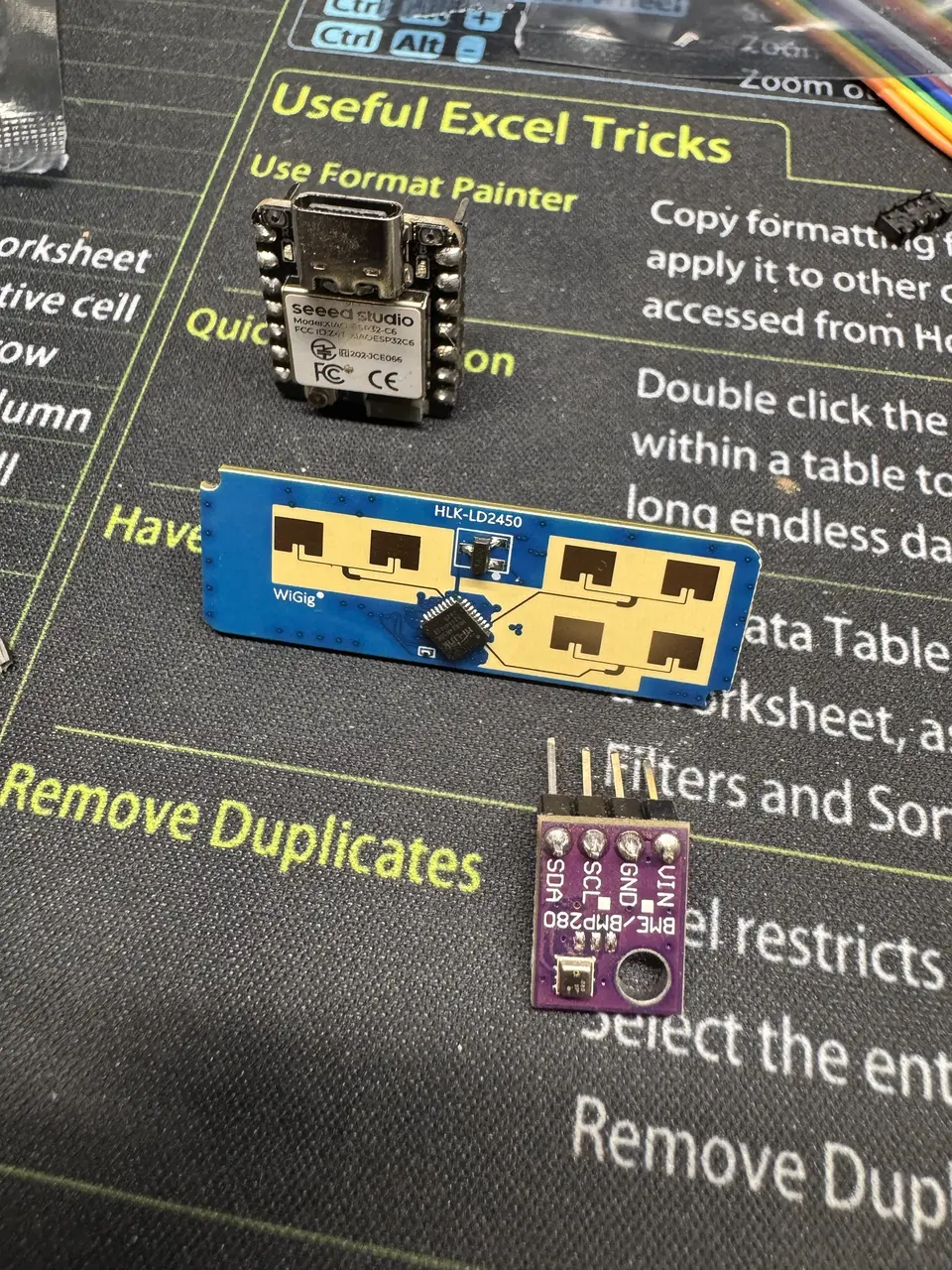
The build
The plan was the same idea as the LD2410 presence sensor guide, on different parts:
- A Seeed Studio XIAO ESP32-C6 in place of a full-size DevKit. It's about the size of a postage stamp and easy to hide in a small case.
- An HLK-LD2450 radar in place of the LD2410C. The LD2450 tracks up to three people and reports where each one is in the room, not just whether someone is there.
- A BME/BMP280 for temperature, humidity and pressure, on the 3.3 V pin and I²C.
The radar runs on 5 V, so it was wired to the XIAO's 5V (VBUS) pin, with its TX and RX on two GPIO pins. The ESPHome config compiled, the board joined Wi-Fi and showed up in Home Assistant, and the BME280 readings came through. The radar entities just sat there empty.
The symptom: 1.7 V where 5 V should be
A radar that never talks is usually a wiring or baud-rate problem, so out came the meter. The 3.3 V pin read 3.3 V. The 5 V pin, which should read close to 5 V with USB plugged in, read 1.7 V.
That's a strange number, and my first assumption was a measuring mistake. So I ruled out the tools:
- two different meters
- different test leads on both
- different USB power supplies
- different USB-C cables
Every combination read the same 1.7 V. The voltage was real.
Why the board kept running
If USB power had really dropped to 1.7 V, the board couldn't have made 3.3 V and wouldn't have been on Wi-Fi. On the XIAO, the 5V pin isn't a plain wire from the USB jack. It sits behind the board's power-path parts, so something pulling hard on that pin drags the pin down while the ESP32 itself keeps running on USB power. That's the trap: a healthy 3.3 V reading tells you nothing about the 5 V pin.
The cause: a shorted radar
The fix was to strip the build back and add parts one at a time, measuring the 5 V pin after each step. With everything unplugged, the pin read 5 V. The board was fine.
The LD2450 had shorted internally, and it took the BME280 out with it. A short across the radar's supply loads the 5 V pin so heavily that the voltage collapses, and 1.7 V is what was left. A second LD2450 behaved the same way, and it did the same on an ESP32 DevKitC, which ruled out the XIAO.
What I'd check first next time
- Measure each module before it goes on the board. With it unpowered, check resistance between its supply pin and ground. A few ohms or a dead short means the part is damaged, so don't connect it.
- Add parts one at a time. Start with the bare board, then add one sensor, measure the supply pin, and add the next. Whichever part makes the voltage sag is the problem.
- Don't trust the 3.3 V pin as proof. Measure the pin that feeds the part, right at the part's own header if you can.
- Feel for heat. A shorted module's main chip gets warm within seconds of power-up.
- Check your jumper wires. A reused jumper harness with a nicked or frayed wire can short 5 V to ground just as well as a bad part. Meter the wires for continuity, and for no continuity between 5 V and GND.
- If you're unsure, power the radar separately. A 5 V supply wired straight to the radar, with its ground tied to the board's GND, takes the board's power path out of the picture.
Where it stands
This sensor is moving to an HLK-LD2410C, the same radar that has run my shop sensor without trouble, along with a fresh BME280. Everything in the LD2410 guide applies, from wiring to gate tuning. I haven't given up on the LD2450's multi-target tracking, and I'll write it up if a replacement holds up.
If you've had an LD2450 fail the same way, I'd like to hear about it: get in touch.